Get the picture right. From your seat.
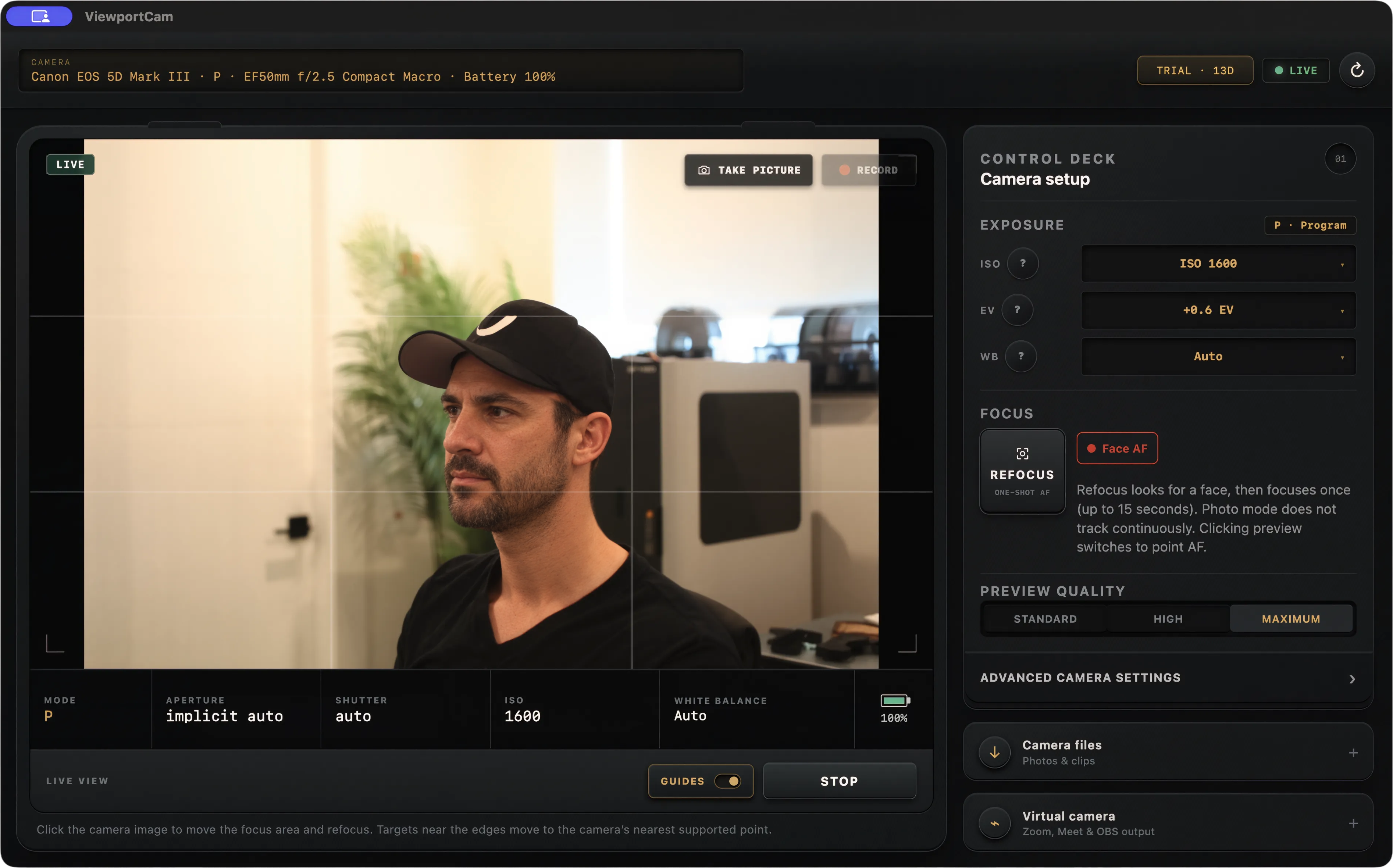
Adjust aperture, shutter speed, ISO, exposure compensation, and white balance where your camera’s mode allows. See the result in live view before the take.
 ViewportCam
Canon live view, recording, control + webcam for Mac
Connect over USB to preview your shot, control camera settings, capture photos, record in supported movie modes, or use your camera in Zoom, OBS, Meet, and other Mac video apps.
The complete app. 14 days free to try every feature. No card required.
Apple Silicon · macOS 26+ · Check your Canon
01 / YOUR MAC IS THE CONTROL ROOM
Talking-head videos. Tutorials. Product shots. Give yourself a proper viewfinder and the camera controls you need, right beside your script.
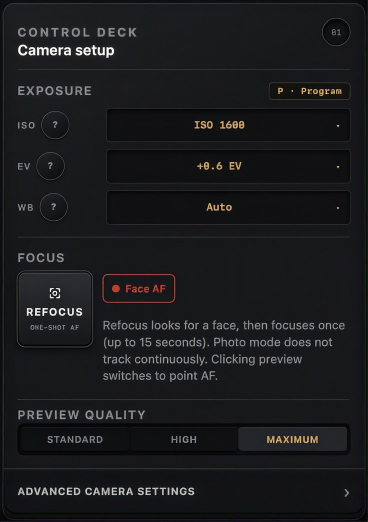
Adjust aperture, shutter speed, ISO, exposure compensation, and white balance where your camera’s mode allows. See the result in live view before the take.
Compose on your Mac’s screen with guides and one-shot autofocus. In photo mode, click the preview to move the focus area on supported cameras.
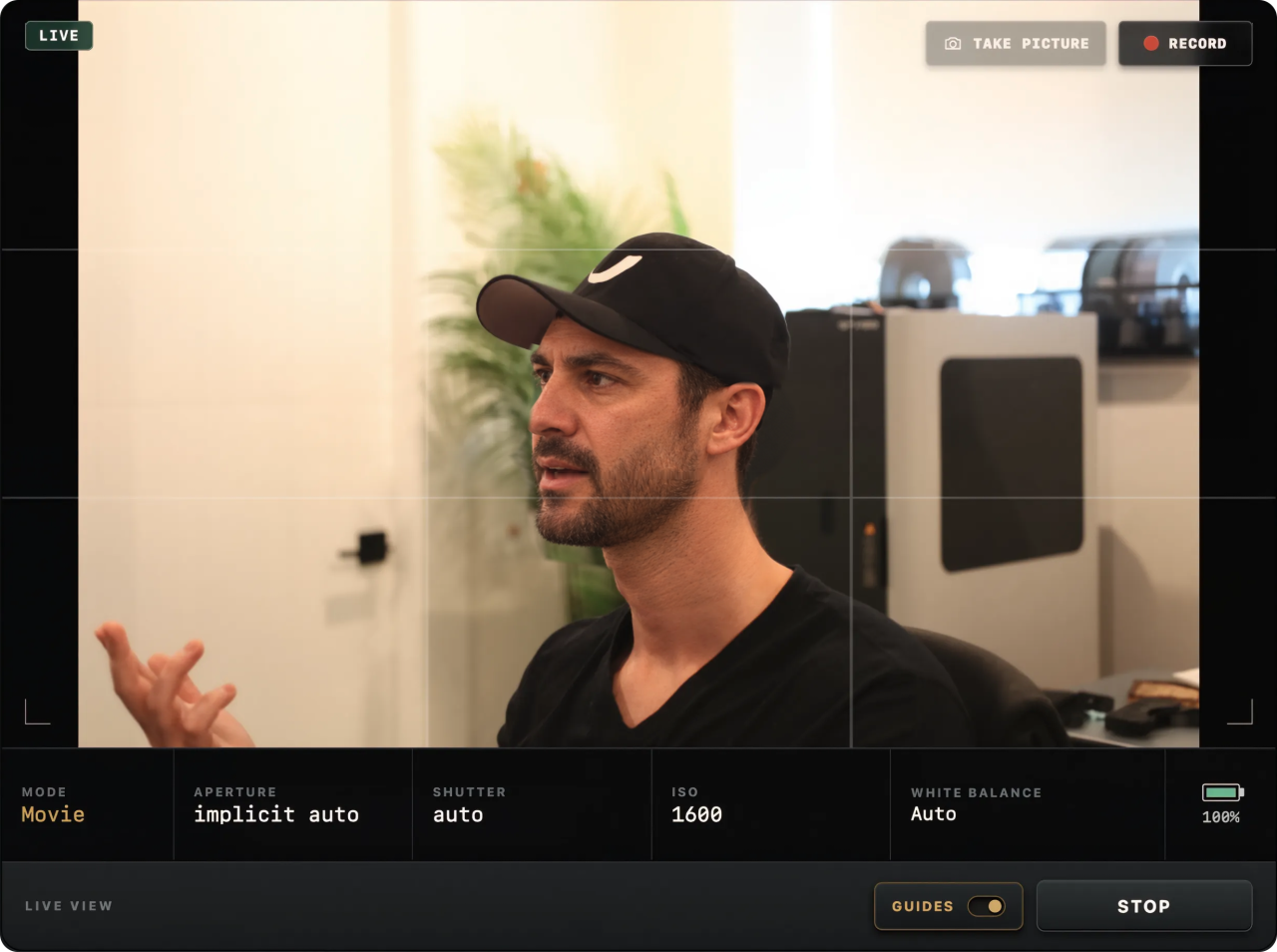
Start and stop recording in supported movie modes, or take a photo, from the app. Set exposure and focus before recording; those controls lock during a take.
Connected over USB. Available controls, autofocus behavior, and recording support depend on your Canon and shooting mode.
02 / FROM TAKE TO EDIT
Photos and recordings save to your camera’s card. Open Camera files, select your keepers, and download the originals to a folder on your Mac.
Your camera captures the originals. Webcam output is a separate live-view feed.
03 / AND YES, IT’S A GREAT WEBCAM
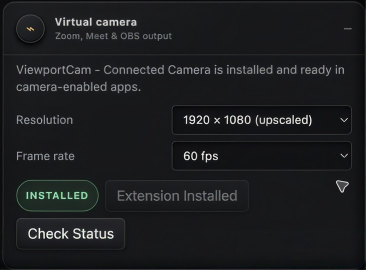
Put your Canon’s lens and the look you’ve dialed in to work in Zoom, Google Meet, OBS, and other Mac video apps. Connect over USB, enable the webcam extension, and select your camera.
Webcam output uses your camera’s USB live-view feed, upscaled to 1080p. Actual source motion depends on the camera’s USB live-view frame rate.
A SHORT SETUP. A LOT MORE CONTROL.
Plug a supported camera into your Mac with a USB data cable and turn it on.
Open ViewportCam, start live view, and set the exposure and focus your shot needs.
Capture from the app. For calls and streams, install and approve the webcam extension, then choose “ViewportCam - Connected Camera” in your video app.
BUILT FOR YOUR CANON. MADE FOR YOUR MAC.
Ten Canon bodies in our tested model list. One focused app for Apple Silicon Macs running macOS 26 or later.
Need help with your setup?Features vary by body and shooting mode. Other detected Canon cameras may work in experimental, best-effort mode. Try your own setup free for 14 days.
ONE APP. YOUR WHOLE SETUP.
Remote control for your next shoot. A proper camera for your next call. Buy ViewportCam once and get every feature in the app.
Buy now and we’ll email your license key. Download the app, choose “I have a license key,” and activate it on your Mac. Already trying it? Activate that same app.
$29.99 USD once
One payment. One Mac. Every feature.
Secure checkout with Stripe · License key by email
Permanently bound to the first Mac activated. Non-transferable. Internet required for activation and a license check at least every 72 hours. License terms
GOOD TO KNOW
Yes. There’s one ViewportCam app. Download it and activate a purchased license, or choose Start 14-day free trial to explore every feature. Your trial starts when it is issued, requires no card or account, and never charges you automatically. You can buy a license whenever you’re ready.
Absolutely. Live view, camera settings, autofocus, photo capture, supported movie recording, and Camera files work as a remote shooting workflow. You only need the webcam extension when you want to send a live feed to another video app. Available controls depend on your camera and mode.
Take picture and supported movie recording save to the camera’s card. Use Camera files to select and download the originals to your Mac. Set exposure and focus before a recording; these controls lock during the take.
No. ViewportCam connects to supported Canon cameras over USB/PTP and publishes the feed through a native macOS camera extension.
ViewportCam automatically scales the camera’s USB live-view feed to 1920×1080. This is upscaled output, not a native 1080p camera feed. Choose 24, 25, 30, or 60 fps output, or lower resolutions including 1280×720, 960×540, and 640×360. Actual source motion depends on the camera’s USB live-view frame rate.
Possibly, but it is not guaranteed. Detected cameras outside the ten tested models continue in best-effort mode. Try the full app with your camera before purchasing.
Each license is permanently bound to the first Mac where it is activated and cannot be transferred to another Mac. Internet is required for first activation and successful license validation at least every 72 hours. The paid license has no scheduled expiry; the purchase does not promise lifetime updates or future hardware compatibility. Read the license terms.
MAKE SOMETHING WORTH HITTING RECORD FOR.
Take control of your next shoot. Look better on your next call.
Full app · 14-day free trial · No card required
Apple Silicon · macOS 26+ · One Mac per license