A larger viewfinder
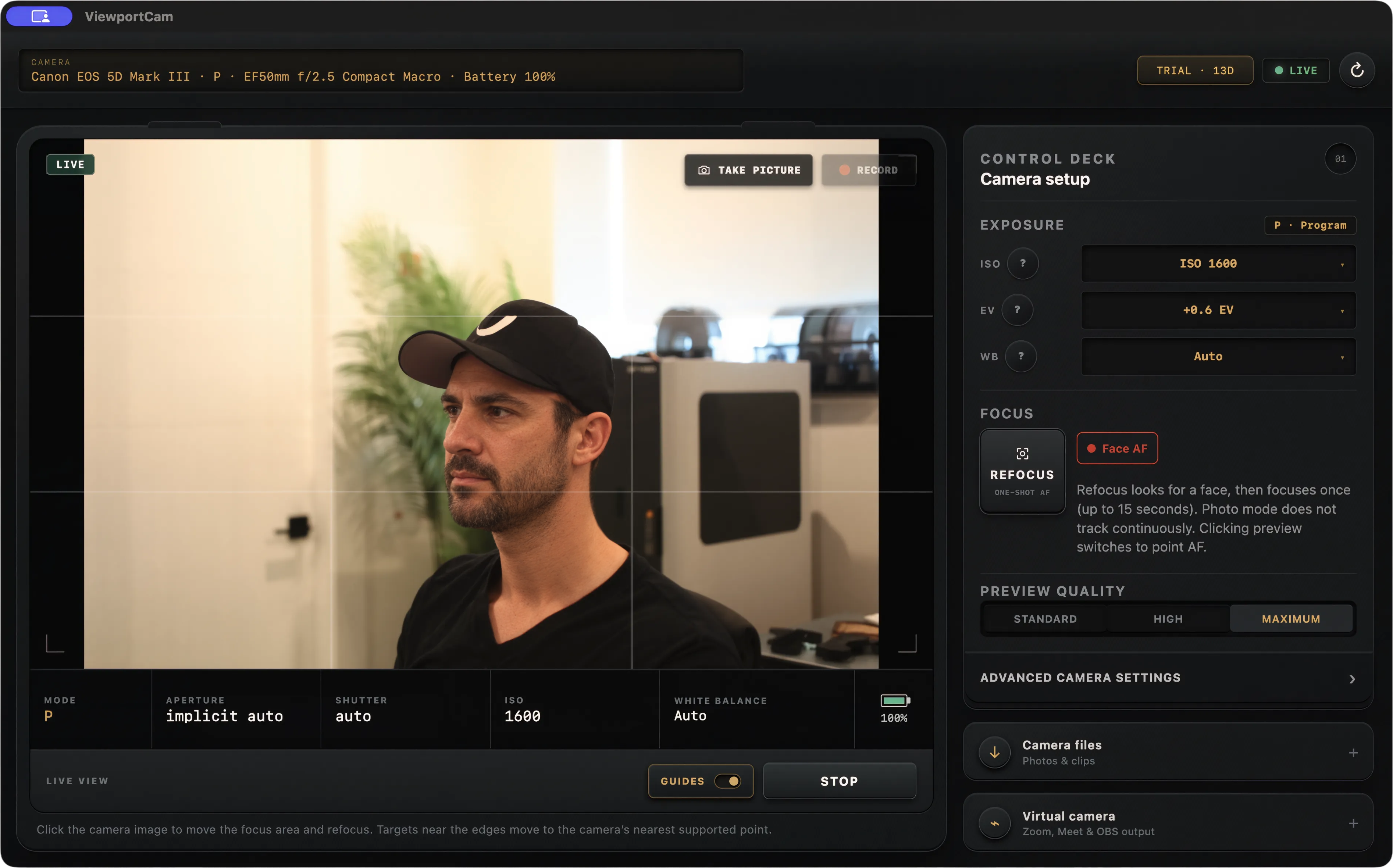
See the camera’s USB live-view feed on your Mac while you compose a talking-head video, tutorial, or product shot.
 ViewportCam
Canon DSLR live view for Mac
Connect a compatible Canon EOS camera over USB and see its live view on a larger screen. Frame the shot, check focus, and adjust supported settings without reaching for the camera.
Full app · 14-day free trial · No card required
See the camera’s USB live-view feed on your Mac while you compose a talking-head video, tutorial, or product shot.
Use one-shot autofocus and, in supported photo modes, click the preview to move the focus area.
Adjust supported aperture, shutter speed, ISO, exposure compensation, and white balance controls beside the picture.
No HDMI capture card is required for the preview. Available controls and autofocus behavior depend on the camera body and shooting mode.
The same connection can capture photos, start and stop supported in-camera recording, browse files from the camera card, and publish a virtual webcam feed for Mac video apps.