Frame before recording
Use live view on your Mac to compose your shot and see supported setting changes before the take.
 ViewportCam
Canon DSLR recording from Mac
Use your Mac as the control point for compatible Canon EOS recording. Check the live picture, set supported exposure and focus controls, then start and stop recording in supported movie modes.
Try the complete recording workflow free for 14 days.
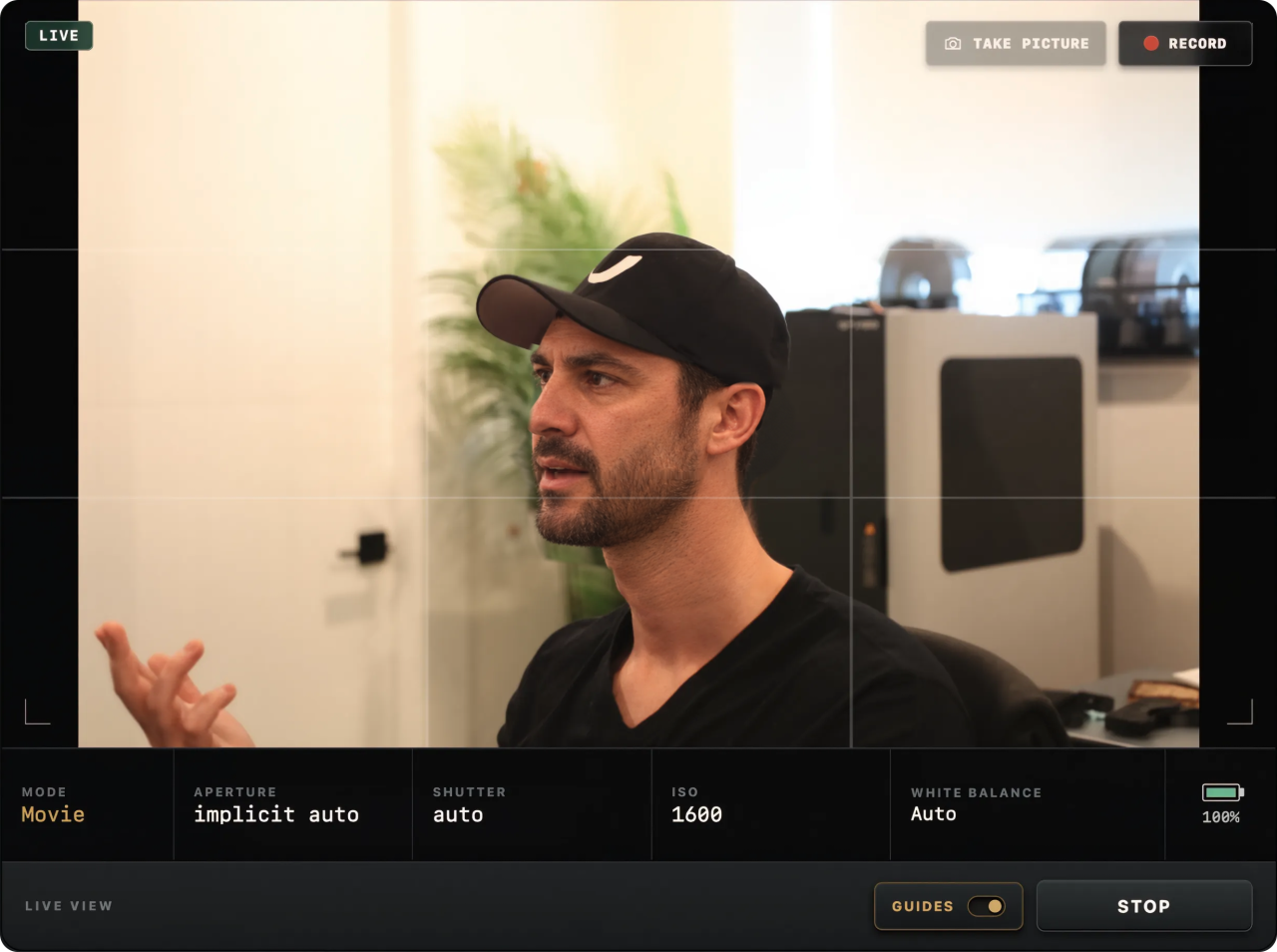
Use live view on your Mac to compose your shot and see supported setting changes before the take.
Start and stop recording remotely in supported Canon movie modes. The original clip is saved to the camera card.
Open Camera files, select recordings from the card, and download the original files to your chosen folder.
ViewportCam is useful when the camera is on a tripod and you are in front of it: talking-head videos, lessons, demonstrations, interviews, and product footage. Set exposure and focus before recording; those controls lock during a take.
Recording support varies by camera and mode. ViewportCam records the original to the camera’s card—it does not claim that the USB preview is the full-quality recorded file.
Recording is one part of the app. You can also use the Mac as a live preview monitor, remotely control supported Canon settings, take photos, or send the live-view feed to video apps through the virtual camera.